
Sharing notes from my ongoing learning journey — what I build, break and understand along the way.
Sophos Firewall on Hyper-V: Building a Cybersecurity Lab

From Basic Routing to NGFW: Securing a Hyper-V Lab with Sophos Firewall
Cybersecurity labs are constantly evolving. I recently decided that the standard router server managing the “firmennetz” (corporate network) traffic on my Hyper-V setup was no longer meeting my needs. Traditional routing wasn’t providing enough vision for penetration testing. Therefore, I completely removed the old router and positioned a Sophos Firewall in its place to be the sole master of the traffic.
But why Sophos? What exactly is this system that we’ve placed at the heart of our lab, and what does it offer us?
From Traditional Routing to Next-Generation Security: What is Sophos Firewall?
Unlike legacy routers that only look at where network packets come from and where they go (IP and Port information), Sophos Firewall is a Next-Generation Firewall (NGFW) capable of digging deep into the network.
While a relatively simple router merely gives way to traffic, Sophos stops the traffic, opens and reads the packets (Deep Packet Inspection), catches malware in mid-air, and instantly blocks network intrusion attempts with its IPS (Intrusion Prevention System).
Compared to other major players in the market, here are some unique advantages that make Sophos so attractive for our lab (and corporate networks):
- Xstream Architecture: Today, almost all web traffic is encrypted (HTTPS). Sophos’s Xstream engine offers tremendous efficiency compared to its competitors in decrypting and inspecting this encrypted traffic without choking the network or degrading performance.
- Security Heartbeat™ (Synchronized Security): This is Sophos’s biggest differentiator. Endpoints (computers/servers) on the network communicate with the firewall in real-time, like a “heartbeat”. If a machine on the network gets infected with a virus, the Firewall learns this in a split second and instantly isolates that machine from other devices on the network.
- Intuitive Control Center: Unlike the complex and exhausting interfaces of many firewall brands, Sophos presents the entire risk x-ray of the network to the administrator on a single cockpit screen called the “Control Center”.
Now, let’s see how we built this new fortress with Sophos running on Hyper-V, the nested Proxmox server running behind it, and Kali Linux, which we use for penetration testing.
1. Laying the Foundations: Building the New Fortress
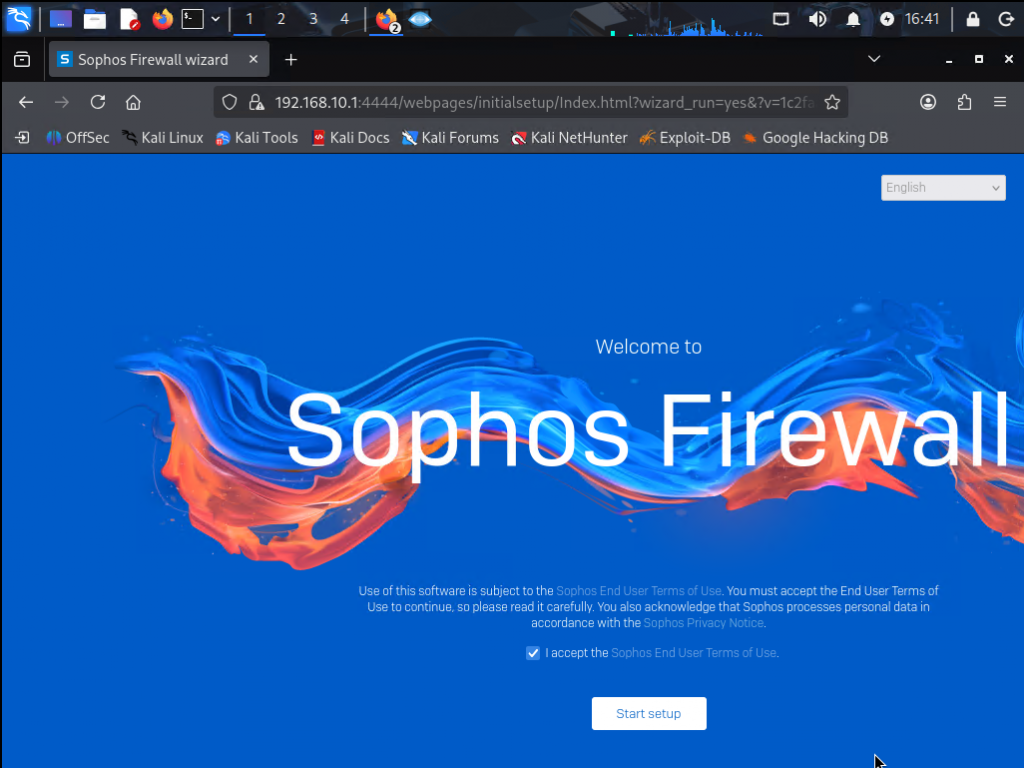
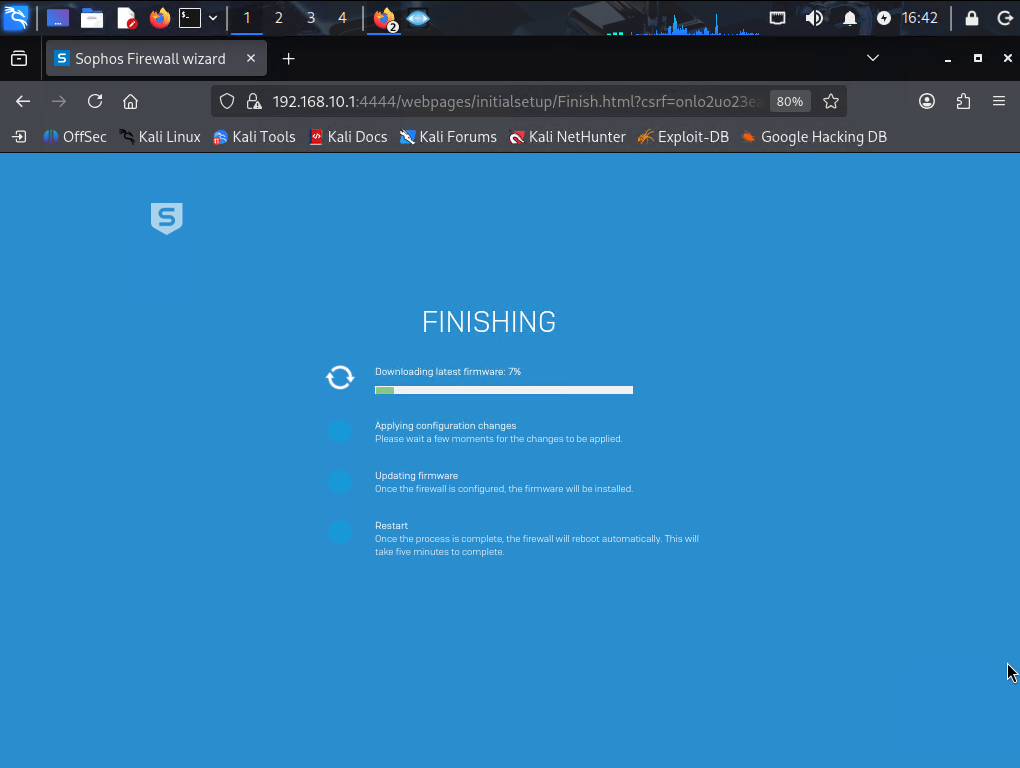
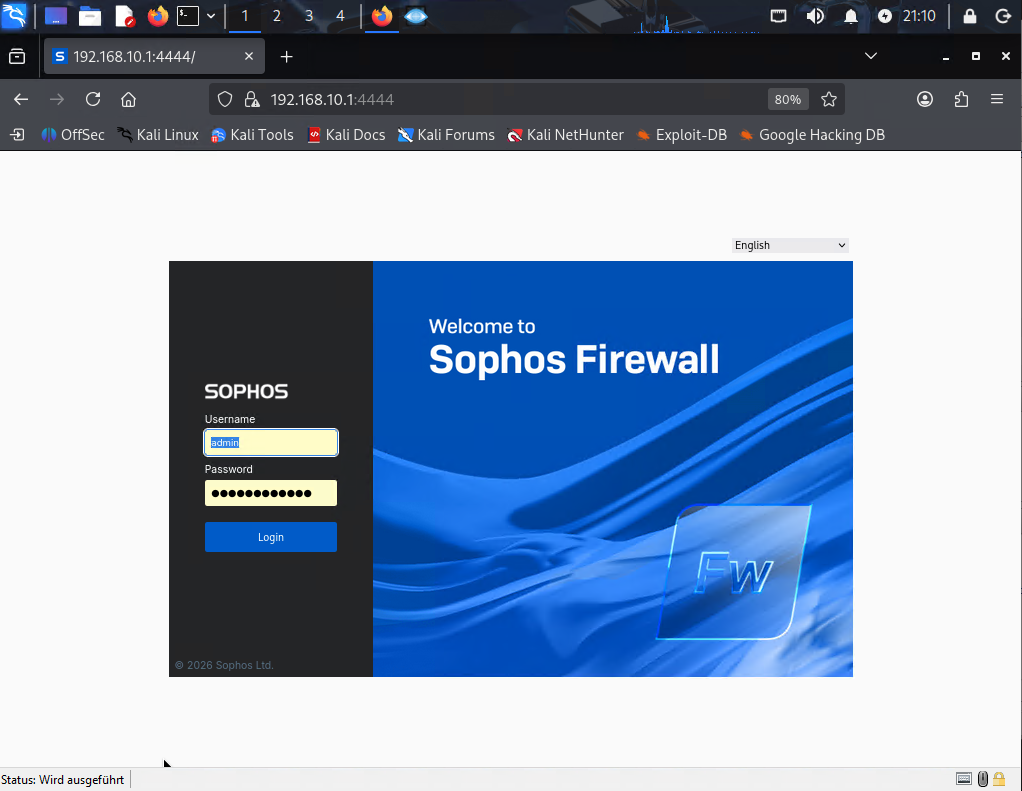
After disconnecting the old router from the network, we launched the Sophos setup wizard on Hyper-V. Now, every single data packet going to and from the “firmennetz” has to pass directly through the inspection of this new firewall.
2. Starting the Engines: True Power Kicks In
If you install a firewall just to open and close ports, it’s no different from an ordinary router. The moment we stepped into the Sophos management panel, we checked the health of the system and the status of the cybersecurity engines.
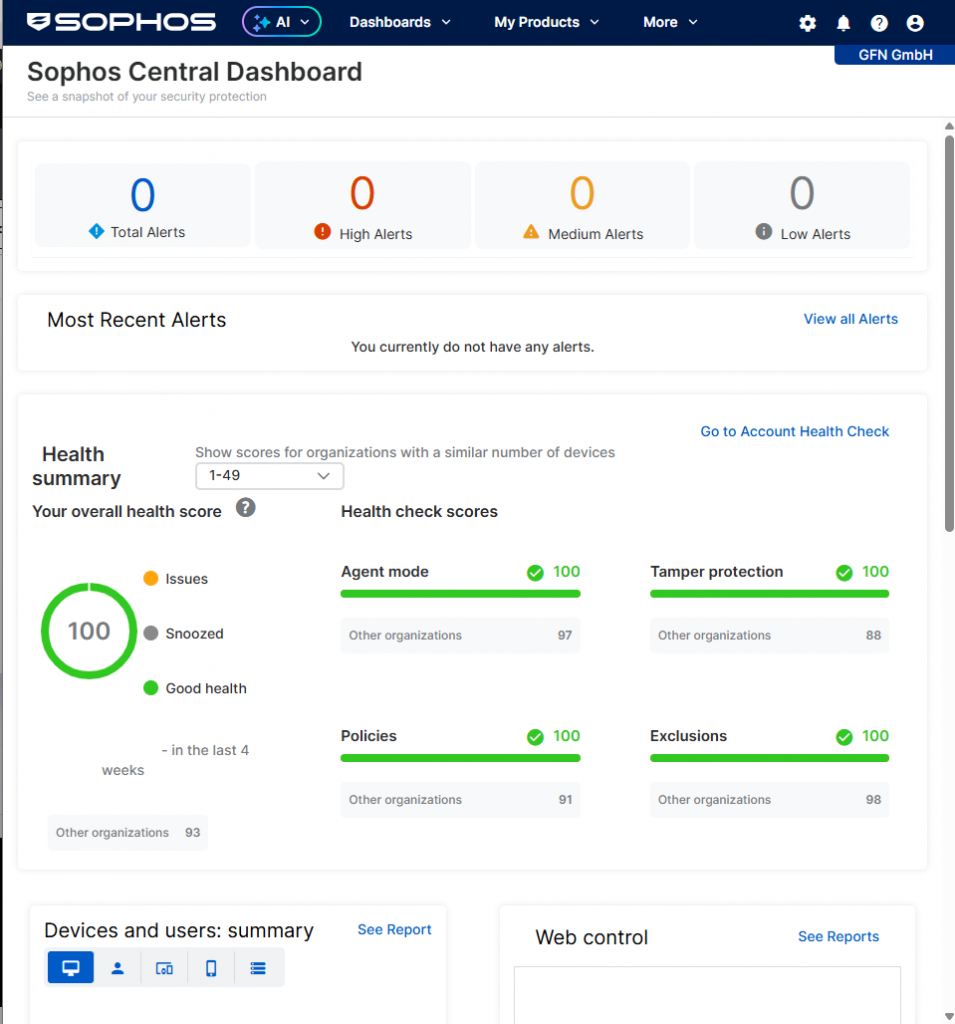
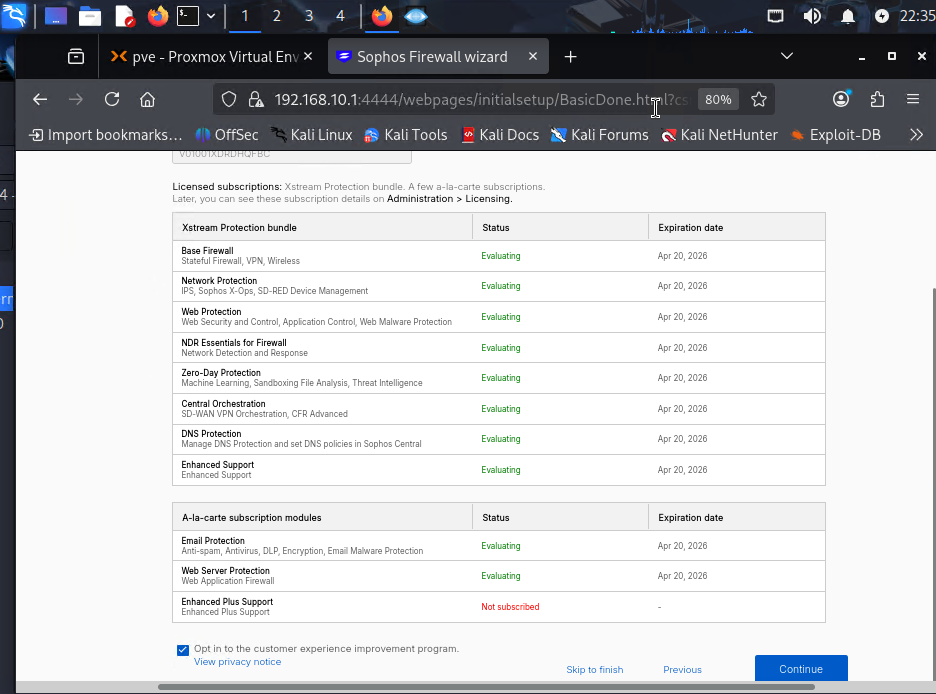
Thanks to these modules, we are no longer just routing packets; we are opening them up and checking for malicious anomalies.
3. Designing the Defense Architecture: Our Own Rules
When writing the rules to manage the traffic, we didn’t just stick to ready-made templates. We created a custom service definition specifically for our Proxmox server (TCP 8006), the heart of our lab.
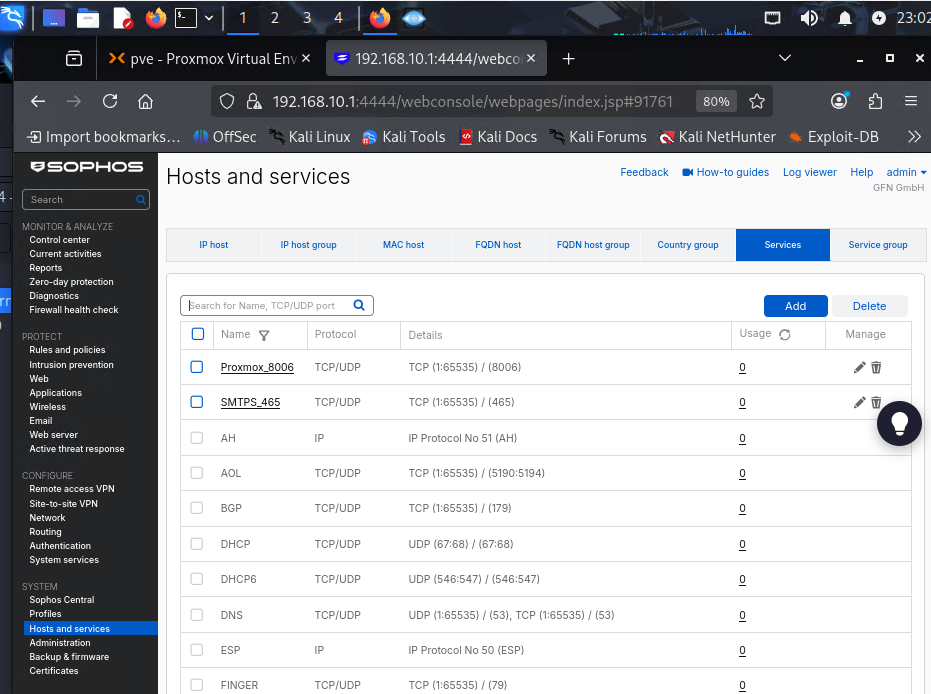
Just opening the path wasn’t enough; we also needed to place security cameras and guards along that path. In the rule we wrote for traffic going from LAN to WAN (or internal networks), we activated the IPS (Intrusion Prevention System) engine.
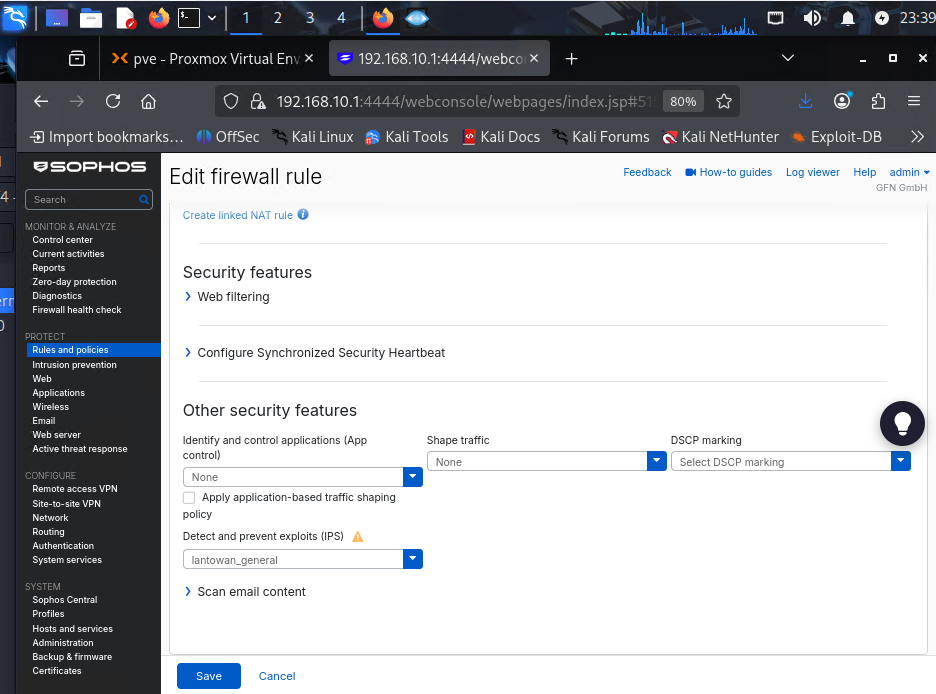
4. Red Team vs. Blue Team: The Anticipated Showdown
We set up our architecture, activated our licenses, and fired up our IPS engine. But what would this system do in the event of a real threat? To test this, we switched to the Kali Linux machine inside the network (LAN).
Our scenario is simple: What happens if an internal user (or a compromised machine) tries to download malware over the internet? We opened the Kali terminal and tried to pull the universal test virus, EICAR, into our network using the wget command.
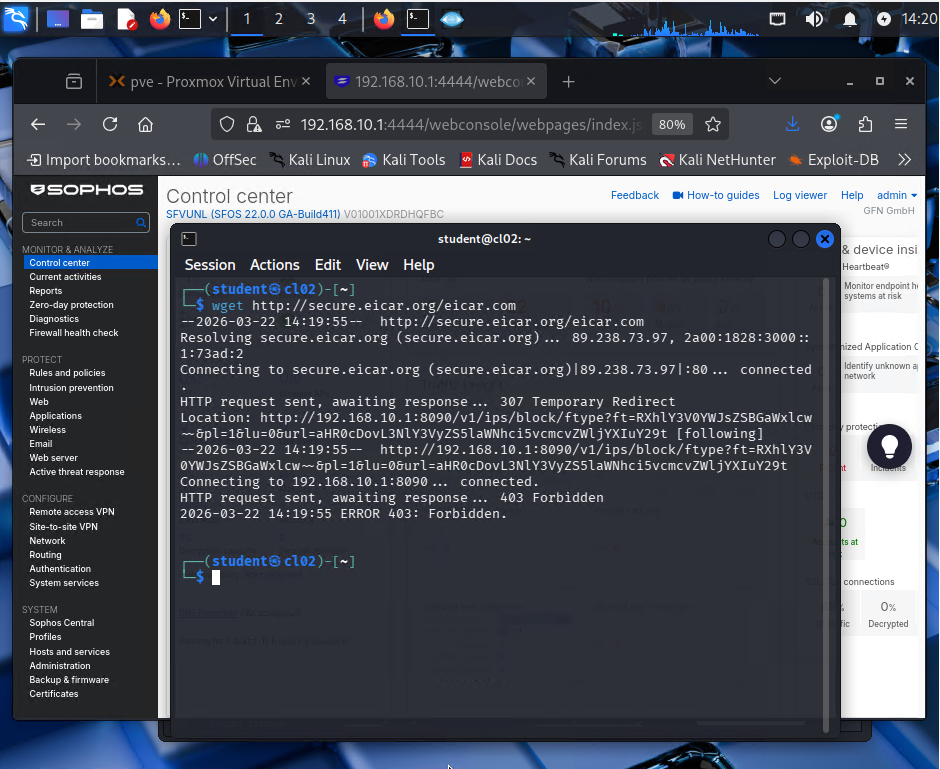
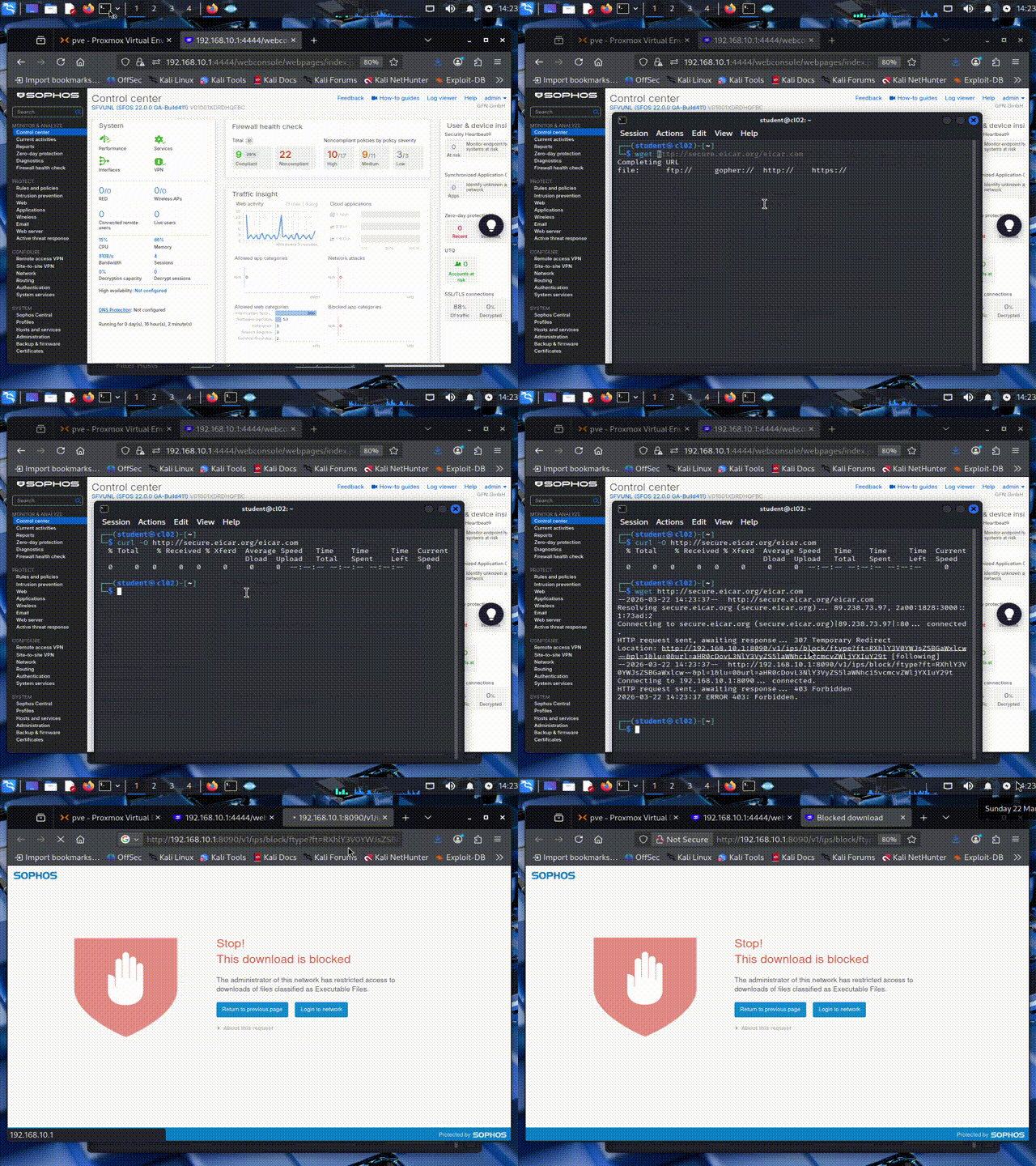
This terminal output we see on the screen was a moment of absolute victory for the Blue Team (Defense). Sophos detected the malicious signature (Malware Signature) inside the packet in a tenth of a second. It didn’t just drop the download process; it cleverly used a “307 Temporary Redirect” to route the request to its own port 8090 and presented the victim with a red blocking wall. The virus was destroyed at the gateway before it could write a single byte to Kali’s disk.
Conclusion
The Sophos Firewall, which we positioned on Hyper-V after deleting the old router, practically showed us how a corporate network (firmennetz) should be protected. Our new lab is no longer just a place where we try out attack tools; it’s also a much more professional stage where we analyze how modern defense mechanisms crush these attacks.