Sharing notes from my ongoing learning journey — what I build, break and understand along the way.
Setting Up an SAP BTP Landing Zone for S/4HANA Extensions

Setting Up a Sample SAP BTP Landing Zone for S/4HANA Side-by-Side Extensions
I had been seeing concepts such as directories, subaccounts, entitlements, quotas, Cloud Foundry, service instances, subscriptions, and transport management in SAP BTP for a while. Each of them makes sense when studied separately, but when I tried to put them together as part of a real landscape, I realized that the picture becomes much clearer.
In this exercise, I used the SAP BTP Trial environment. Being able to use these environments for learning and hands-on practice is extremely valuable, so I would like to thank SAP for providing SAP BTP Trial and learning environments.
My goal was not to develop a real application. Instead, I wanted to understand how a professional SAP BTP foundation could be prepared for an S/4HANA side-by-side extension scenario. In other words, I did not deploy an application, connect to a real S/4HANA system, or transport a real artifact. What I built was a basic BTP landing zone that could be used as a starting point when such a project begins.
Why I wanted to build this
At first glance, SAP BTP may look like a simple flow: create a subaccount, enable a service, and continue. But when I started thinking about it from a more professional perspective, the topic became more layered.
In an S/4HANA extension project, having only a runtime is not enough. Environment separation, quota management, security, integration, frontend hosting, logging, and transport management also become important.
So I defined a fictional scenario for myself:
Building an SAP BTP landscape for S/4HANA side-by-side extension development in the Europe region.
The target structure was:
Global Account
└── EU-Core
    ├── 01-eu-core-dev
    ├── 02-eu-core-test
    └── 03-eu-core-prod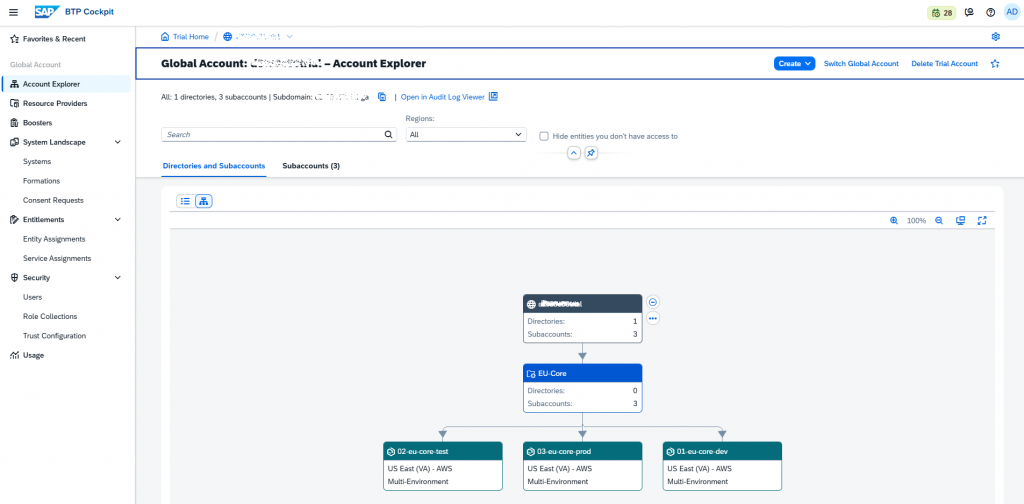
Starting with a directory
At the beginning, I was planning to create subaccounts directly. But since I wanted a more enterprise-like structure, I started with a directory.
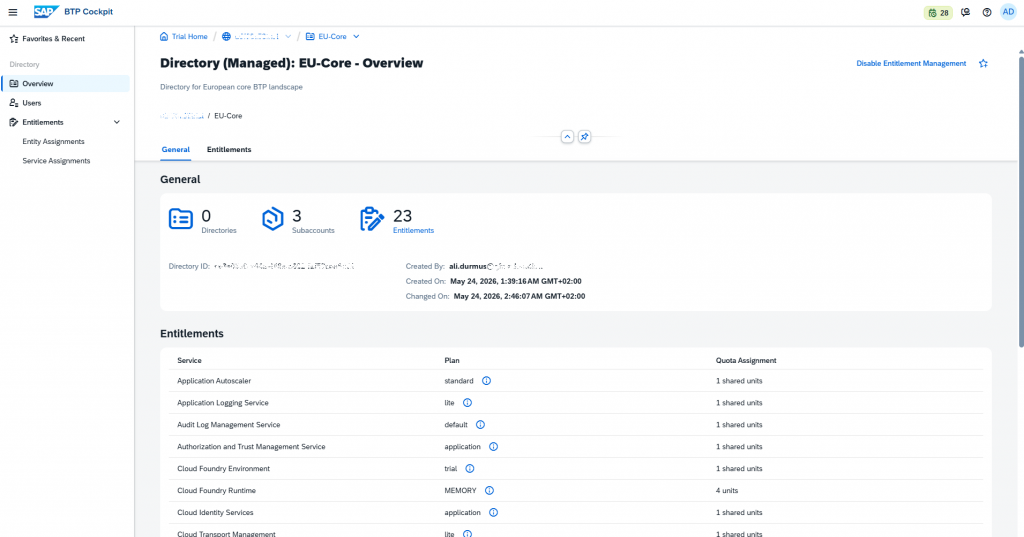
A directory can be seen as a folder. It does not run applications and it does not host service instances directly, but it helps group subaccounts in a clean and meaningful way.
For this exercise, I named the directory:
EU-CoreUnder this directory, I grouped the DEV, TEST, and PROD subaccounts. This made the account model easier to read and manage.
One of the most important points I learned here was:
A directory is a management layer. The actual runtime and service consumption happen in the subaccount and its environments.
DEV, TEST, and PROD subaccounts
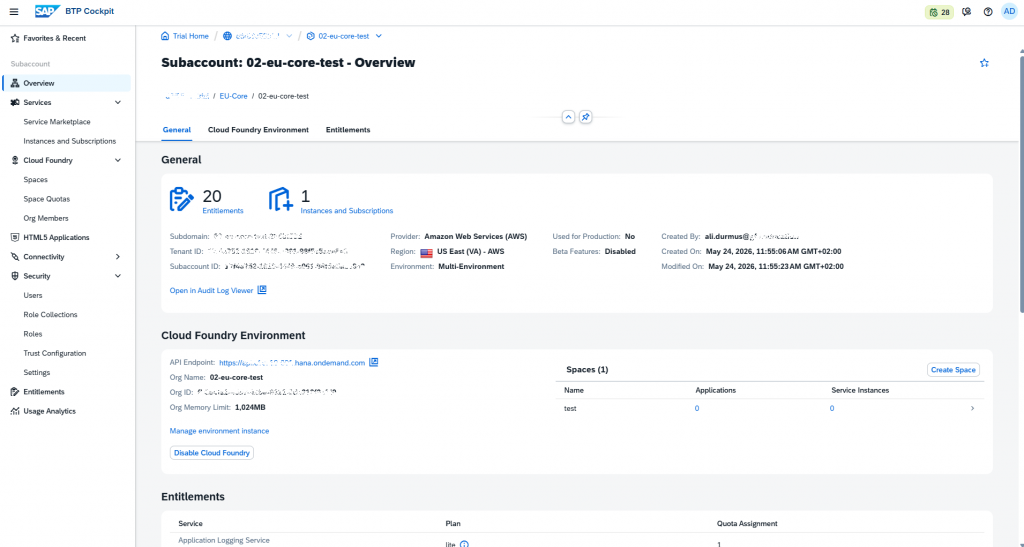
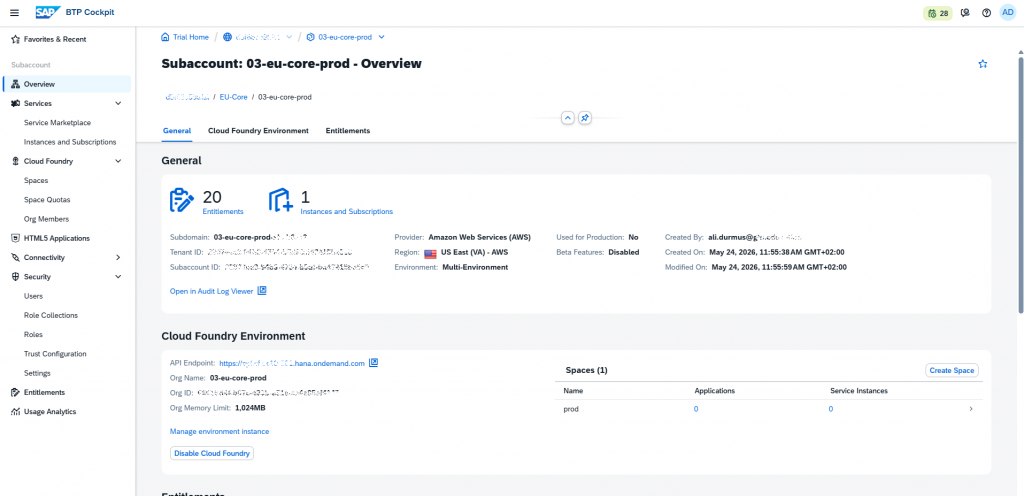
After creating the directory, I created three separate subaccounts:
01-eu-core-dev
02-eu-core-test
03-eu-core-prod
I intentionally separated DEV, TEST, and PROD as different subaccounts instead of creating them as different spaces under the same subaccount.
The reason is that the subaccount level does not only separate runtime usage. It also separates entitlements, quotas, destinations, trust configuration, subscriptions, security, and service management.
For that reason, in a real project, separating DEV, TEST, and PROD at the subaccount level provides a cleaner isolation model.
Enabling Cloud Foundry
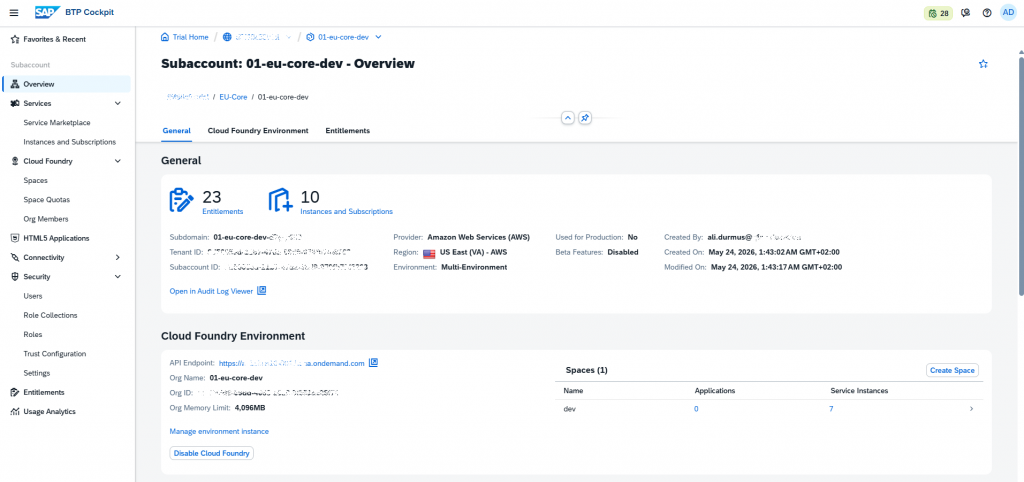
For the S/4HANA extension scenario, I used Cloud Foundry as the runtime where applications would run.
I think of Cloud Foundry here as a PaaS runtime. The developer writes the application, and Cloud Foundry provides the platform where that application runs.
In this setup, I created a Cloud Foundry org and space structure for each subaccount:
01-eu-core-dev
└── Space: dev

02-eu-core-test
└── Space: test

03-eu-core-prod
└── Space: prod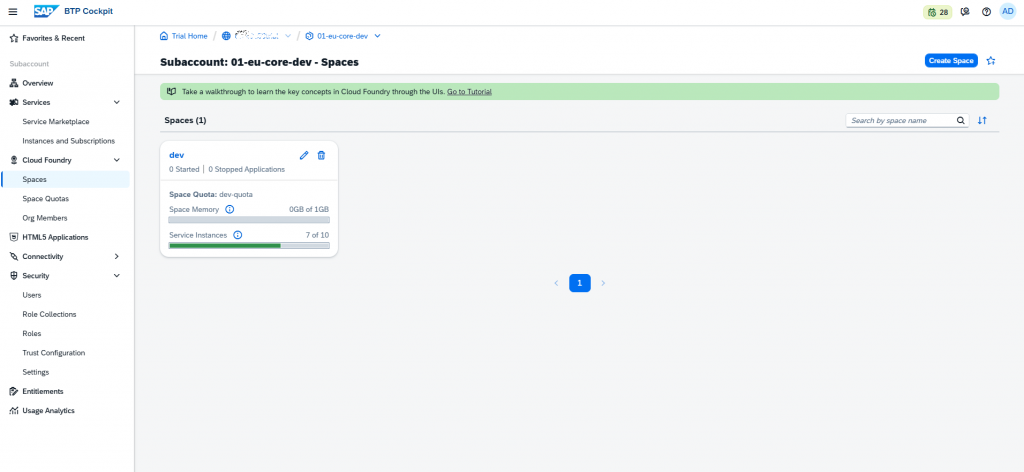
At this point, the Cloud Foundry concepts became clearer for me:
Subaccount = BTP management area
Cloud Foundry Org = Main organization inside Cloud Foundry
Space = Area where the application is deployed
App = Running application
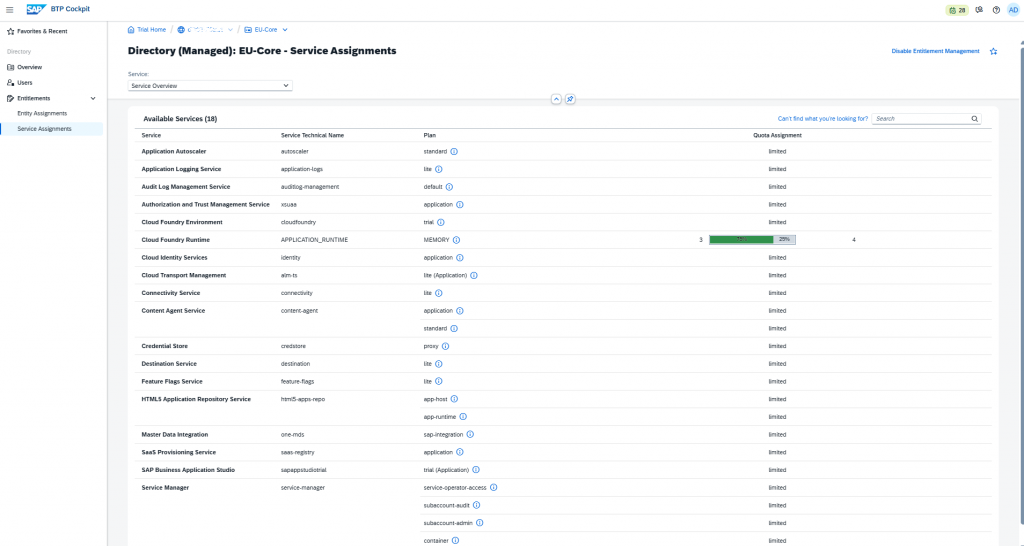
An important lesson about quota and memory
One of the most confusing parts of this setup was quota management.
At first, I enabled the Cloud Foundry environment and then started changing the memory quota. However, the Cloud Foundry org still showed 0 MB memory.
After checking the setup for a while, I noticed something important:
It is much safer to assign the Cloud Foundry Runtime MEMORY quota to the correct subaccount before enabling the Cloud Foundry environment.
In my trial environment, when the Cloud Foundry org was created, it did not receive the memory correctly. Even though I changed the quota afterward, the Cloud Foundry org did not update as expected. In the end, I had to provision the Cloud Foundry environment again.
After that, I noted the correct sequence as follows:
1. Create the subaccount
2. Assign Cloud Foundry Runtime MEMORY quota
3. Enable the Cloud Foundry Environment
4. Check the org memory limit
5. Create the space
6. Assign the space quota
This small issue turned into a useful learning point for me. It is not enough to see the entitlement or quota in the BTP cockpit. It is also important to check whether it has actually been reflected in the runtime layer.
Limiting resource consumption with space quota
After the memory was available at the Cloud Foundry org level, I did not want a space to consume all available memory. For that reason, I created a space quota for the DEV space.
For DEV, I used the following values:
Memory:              1024 MB
Routes:              3
Service Instances:   10
Memory per Instance: 512 MB
App Instances:       3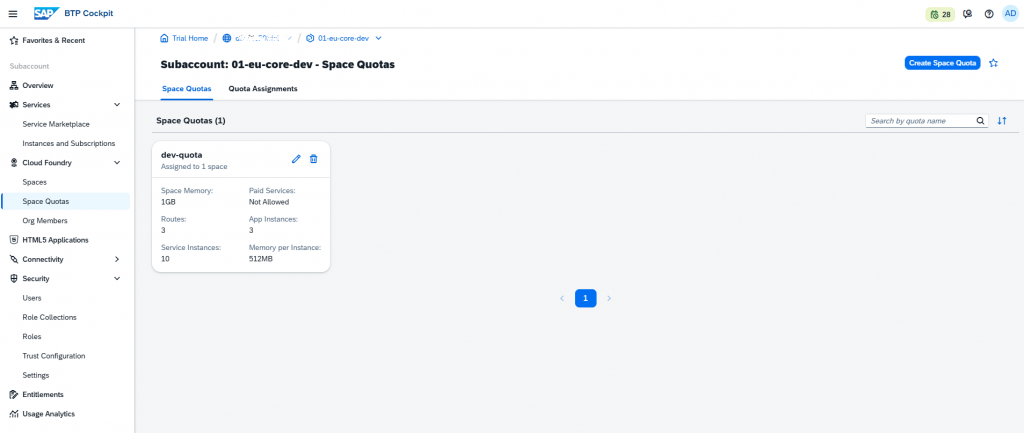
The goal was simple: even if the org has more memory available, the DEV space should not be able to consume everything without control.
This becomes especially important when multiple teams or multiple spaces exist in the same Cloud Foundry org.
The approach I used in this setup was:
Subaccount = stage separation
Space quota = resource consumption limit inside the same org
DEV service set for an S/4HANA extension scenario
After preparing the runtime layer, I started creating the core services needed for an S/4HANA extension scenario in the DEV environment.
At this stage, I did not connect to a real S/4HANA system. Therefore, I did not create a real destination configuration. However, I prepared the service foundation that an S/4HANA extension application would typically need.
Under the DEV space, I created the following service instances:
destination-eu-core-dev
connectivity-eu-core-dev
xsuaa-eu-core-dev
html5-repo-host-eu-core-dev
html5-repo-runtime-eu-core-dev
app-logging-eu-core-dev
auditlog-eu-core-dev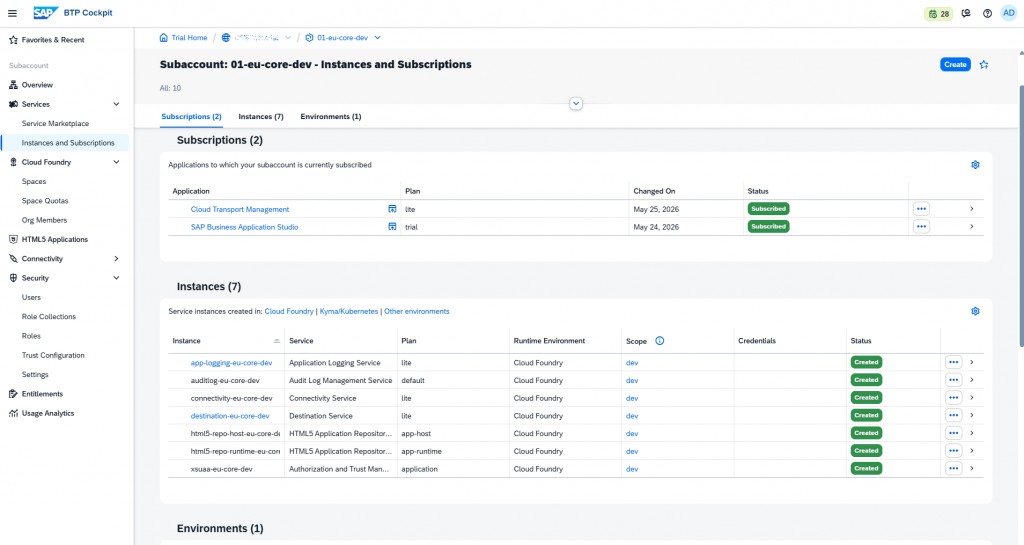
I selected these services with the following logic.
Destination Service
Destination Service is used to centrally maintain endpoint information for systems such as S/4HANA, SuccessFactors, or external APIs.
In this exercise, I did not create a real destination because I did not have a real S/4HANA system to connect to. However, I created the Destination Service instance so that a future extension application could bind to it.
Connectivity Service
If the S/4HANA system is on-premise, the BTP application needs to reach it through SAP Cloud Connector. Connectivity Service is part of that scenario.
I did not configure a real Cloud Connector connection in this exercise. However, I created the Connectivity Service instance to make the setup ready for a possible on-premise S/4HANA scenario.
XSUAA
For user login, role checks, and authorization in an extension application, XSUAA is required.
I created an XSUAA instance with the application plan. This plan is suitable for normal business application scenarios.
HTML5 Application Repository
To host UI5 / Fiori frontend applications on SAP BTP, I added HTML5 Application Repository services.
I used two plans:
app-host
app-runtime
app-host is used to store application artifacts, while app-runtime is used for the runtime side of these applications.
Application Logging
I created an Application Logging Service instance to make application logs available in a central way.
Audit Log
I created an Audit Log Management Service instance for security and audit-related traces.
At this point, the DEV environment was no longer just a runtime. It became a more realistic extension environment with integration, security, frontend hosting, and operational logging layers.
Development environment with SAP Business Application Studio
The next step was to prepare the development environment.
SAP Business Application Studio is not created as a service instance. It is enabled as a subscription. This distinction was important for me. For services such as Destination, Connectivity, and XSUAA, I created service instances. For BAS, I created a subscription.
I created the SAP Business Application Studio subscription in the DEV subaccount.
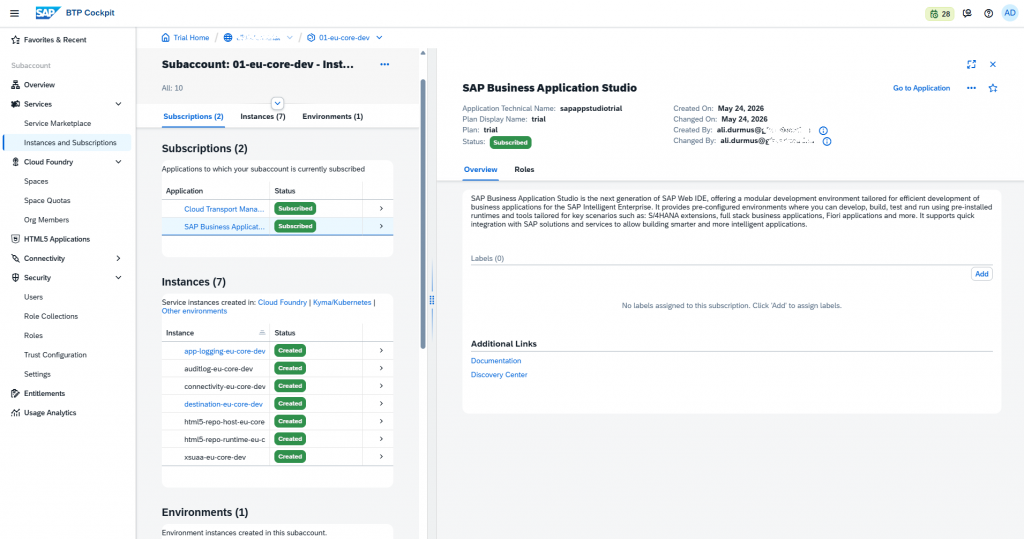
After the subscription, I assigned my user the BAS Developer role:
Business_Application_Studio_Developer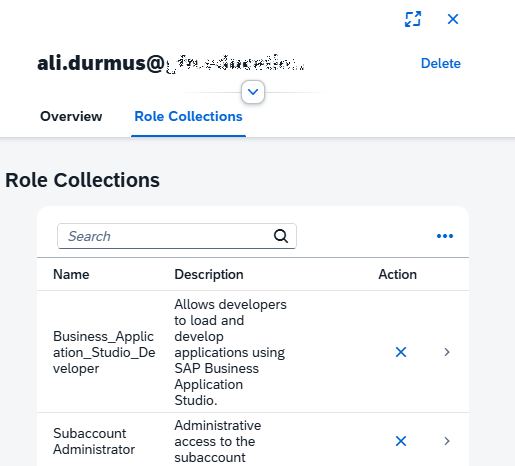
This revealed another important distinction:
Subscription = application is active in the subaccount
Role Collection = user can access the application
So enabling the subscription alone is not enough. The user also needs the correct role collection.
Then I created a dev space inside BAS:
devspace_eu_core_extensionI created this dev space with the Full Stack Cloud Application type. This is useful for a future S/4HANA extension scenario where CAP, UI5, approuter, and MTA topics may come into play.

One small naming detail also caught my attention here. On the BTP side, hyphens are generally fine, but BAS allowed only underscores in the dev space name. That is why I used:
devspace_eu_core_extensionDEV → TEST → PROD model with Cloud Transport Management
To make the landing zone more realistic, I also wanted to prepare the transport side.
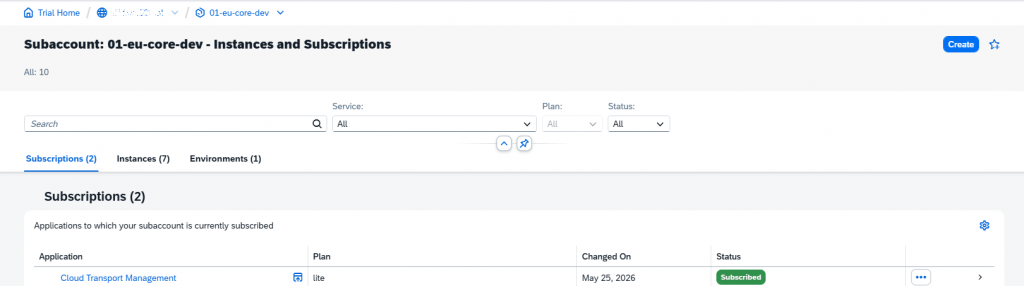
I created a Cloud Transport Management subscription using the lite application plan.
Then I assigned my user the required roles for managing the transport landscape:
TMS_LandscapeOperator_RC
Viewer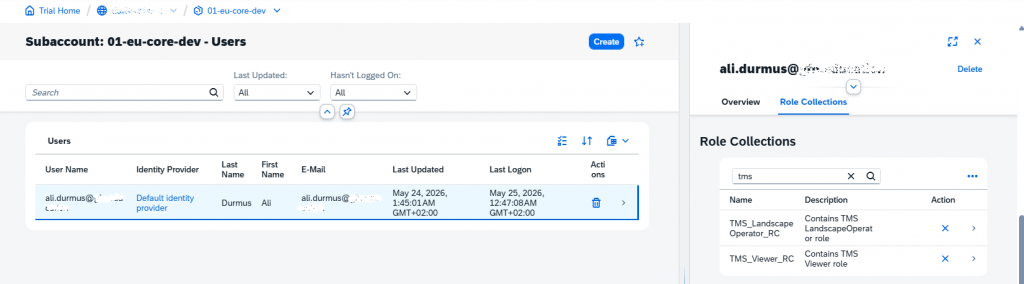
After opening the CTMS application, I created three transport nodes:
DEV
TEST
PROD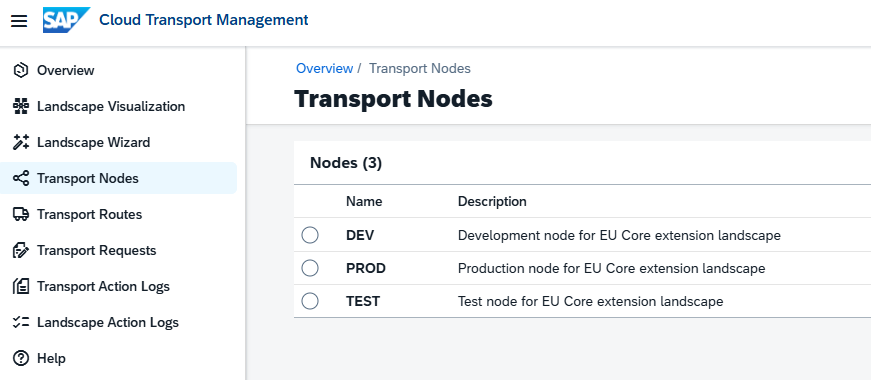
Then I created routes between these nodes:
DEV_TO_TEST
TEST_TO_PROD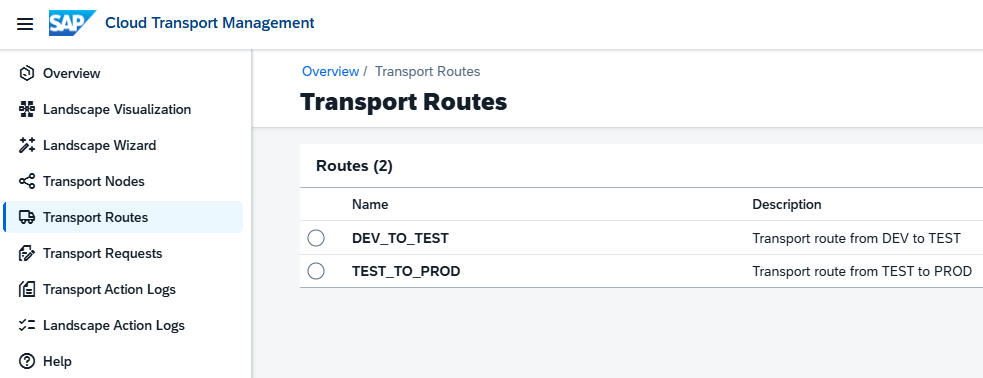
With this, the transport model became:
DEV → TEST → PROD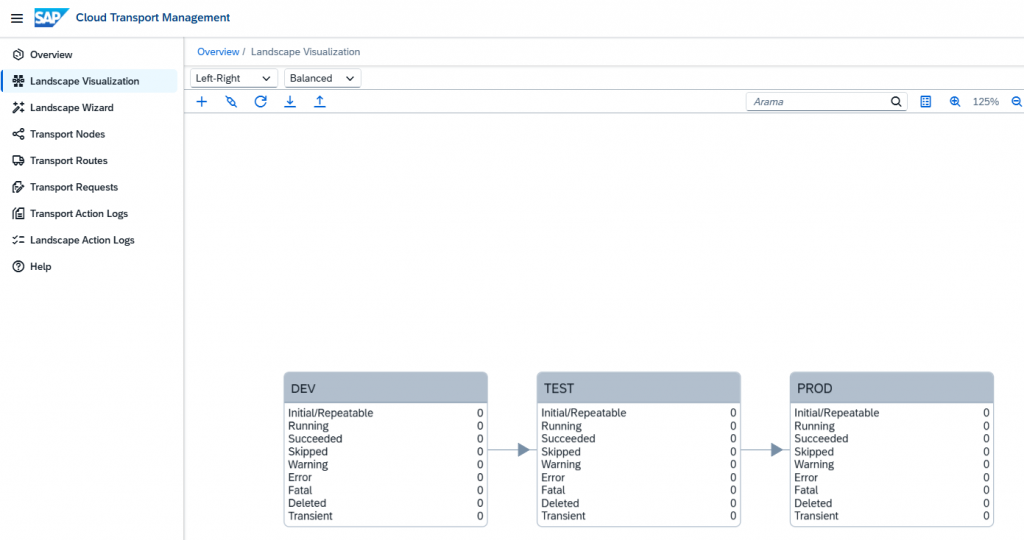
I want to be clear about this part: I did not transport a real artifact in this exercise. I did not move an application from DEV to TEST or from TEST to PROD.
What I did was model a three-tier transport landscape in Cloud Transport Management.
Service Marketplace and the TEST / PROD side
During the setup, I also reviewed the Service Marketplace. It helped me better understand the difference between entitlement, subscription, and service instance.
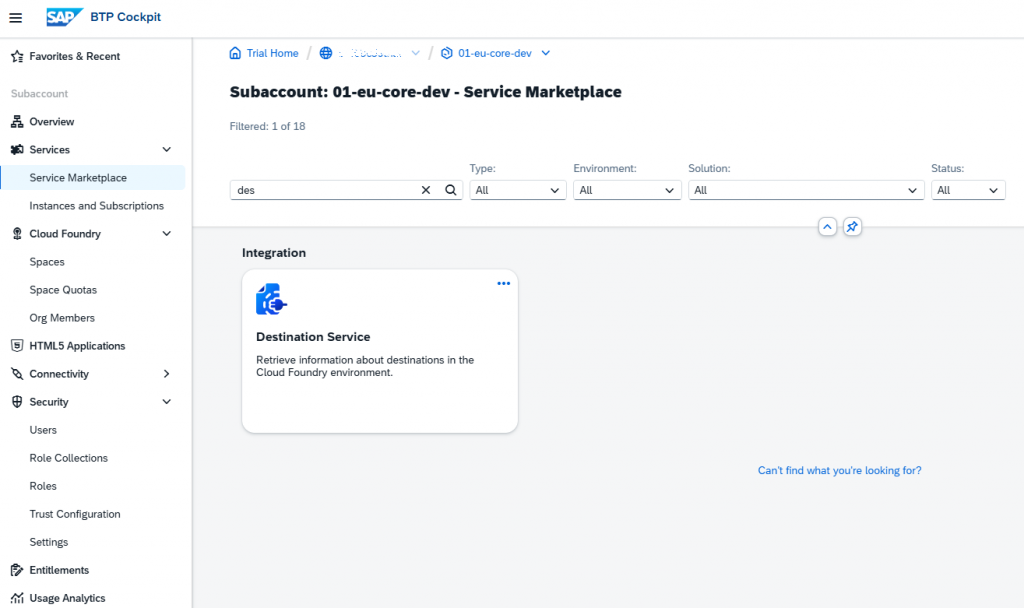
On the TEST and PROD side, I prepared the Cloud Foundry, space, and quota structure. However, I did not create the full DEV service set again in TEST and PROD.
The reason is simple: there is no real application artifact yet. Without a real application, I did not want to create unnecessary service instances in TEST and PROD.
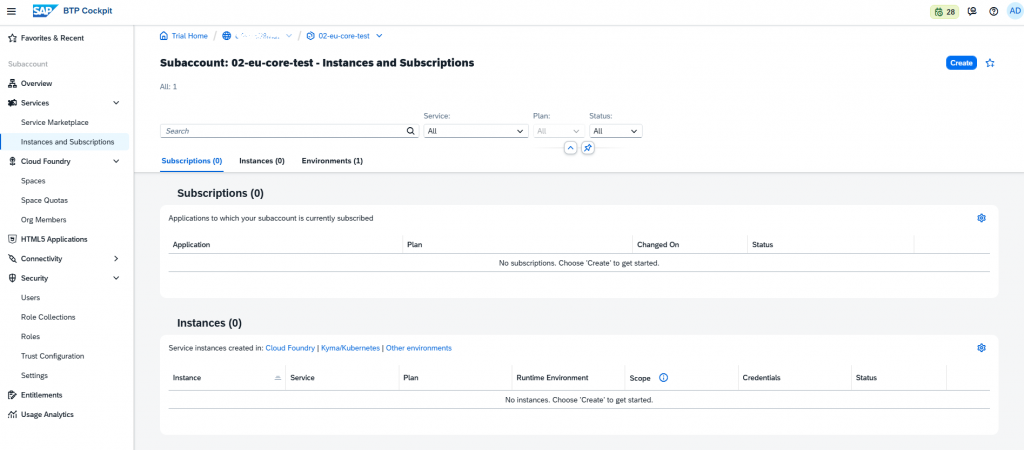
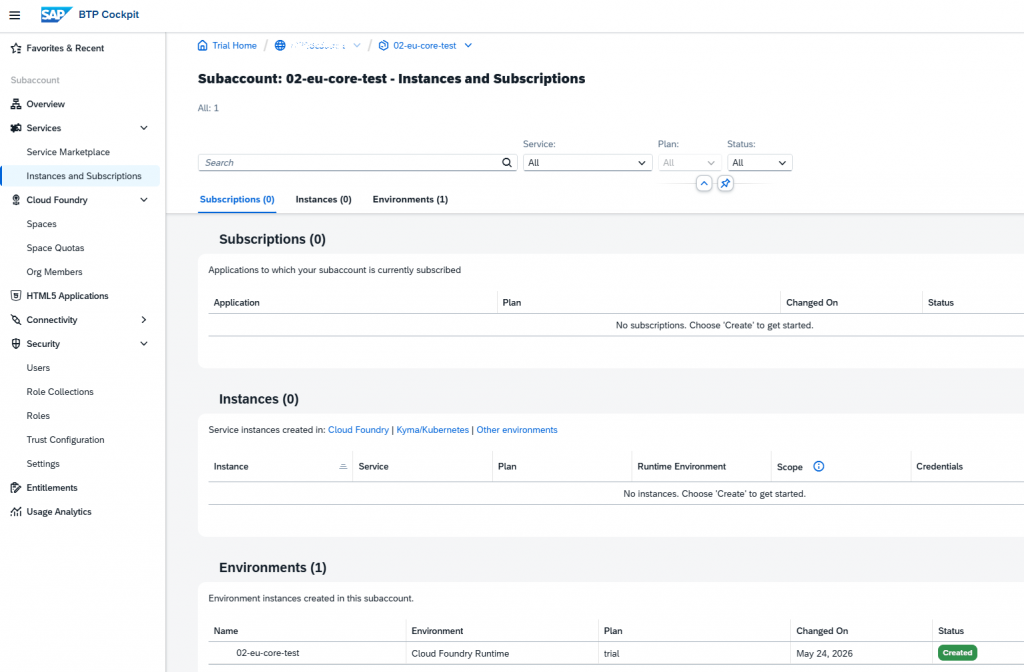
This was also a conscious decision. I prepared the development services in DEV, while keeping TEST and PROD ready from a runtime and transport landscape perspective.
What I learned from this setup
This exercise helped me clarify several topics.
First, creating a subaccount in SAP BTP does not mean that the environment is ready. The subaccount is only the base area. On top of it, environments, quotas, spaces, service instances, subscriptions, and role collections need to be configured.
Second, entitlement and quota management must be handled carefully. Seeing a service in the list does not always mean it is ready to be consumed. Especially for Cloud Foundry, it is important to check whether runtime memory has actually been reflected at the org level.
Third, the difference between subscription and service instance is very important. BAS and CTMS are enabled as subscriptions, while Destination, Connectivity, XSUAA, HTML5 Repo, Application Logging, and Audit Log are created as service instances.
Fourth, access to subscriptions should not be expected without role collections. BAS was subscribed, but it became usable only after assigning the Business_Application_Studio_Developer role to the user.
Finally, separating DEV / TEST / PROD at the subaccount level provides a cleaner structure for security, quota, destinations, transport, and operations.
Conclusion
In this exercise, I did not build a real application, but I prepared a basic SAP BTP landing zone that could be used for an S/4HANA side-by-side extension scenario.
At the end of the setup, the structure looked like this:
EU-Core
├── 01-eu-core-dev
│   ├── Cloud Foundry
│   ├── Space: dev
│   ├── Destination Service
│   ├── Connectivity Service
│   ├── XSUAA
│   ├── HTML5 Application Repository
│   ├── Application Logging
│   ├── Audit Log
│   ├── SAP Business Application Studio
│   └── Cloud Transport Management
│
├── 02-eu-core-test
│   ├── Cloud Foundry
│   └── Space: test
│
└── 03-eu-core-prod
    ├── Cloud Foundry
    └── Space: prod
I also created the following transport model in Cloud Transport Management:
DEV → TEST → PRODFor me, this exercise was useful because it helped me see how different SAP BTP pieces connect to each other. Concepts that I knew only in theory became much clearer in practice, especially around quota management and Cloud Foundry provisioning.
As a next step, it would be useful to build a small CAP or UI5 application on top of this structure, deploy it first to DEV, and then try the transport flow in a more realistic scenario.