
Sharing notes from my ongoing learning journey — what I build, break and understand along the way.
Building a Simple External API Demo with SAP BTP Trial

My First Day with SAP BTP Trial: Creating a Destination and Building a Simple API Demo
I recently started learning SAP BTP, and I wanted my first practice session to be more than just clicking through menus. I had already heard terms like BTP Cockpit, Destination, Service Marketplace, and Business Application Studio, but I wanted to see how these concepts actually work inside the system.
For my first day, I set myself a small and simple goal:
Create a destination in SAP BTP Cockpit for an external REST API, and then display data from that API in a small web application.
This is not a complex project, but it helped me understand the basic flow between SAP BTP Cockpit, external connectivity, and a simple application running in SAP Business Application Studio.
For this mini demo, I used SAP BTP Trial, SAP Business Application Studio, basic HTML/JavaScript, and the JSONPlaceholder test API.
First Look at SAP BTP Cockpit
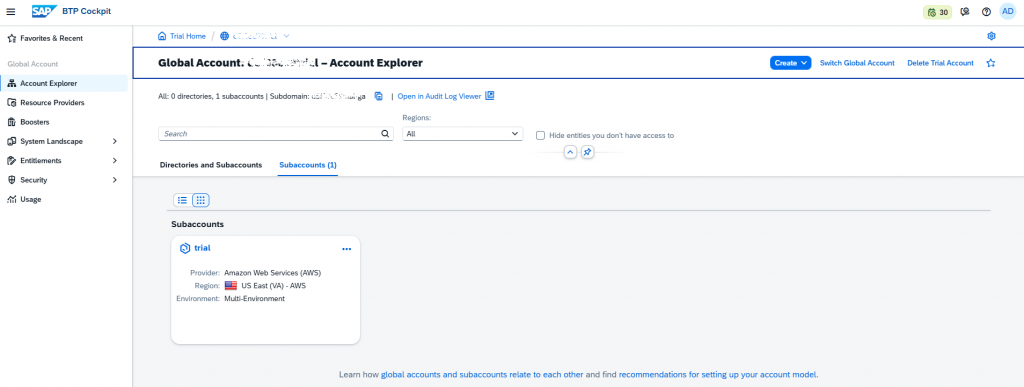
I started by logging in to SAP BTP Cockpit and opening my trial subaccount. This was the first place where the structure of SAP BTP became more visible to me.
On the left side, I could see areas such as Services, Security, and Connectivity. At first, the cockpit looks a little overwhelming, but the basic idea is understandable: this is where services, connections, users, authorizations, and application environments are managed.
Exploring the Service Marketplace
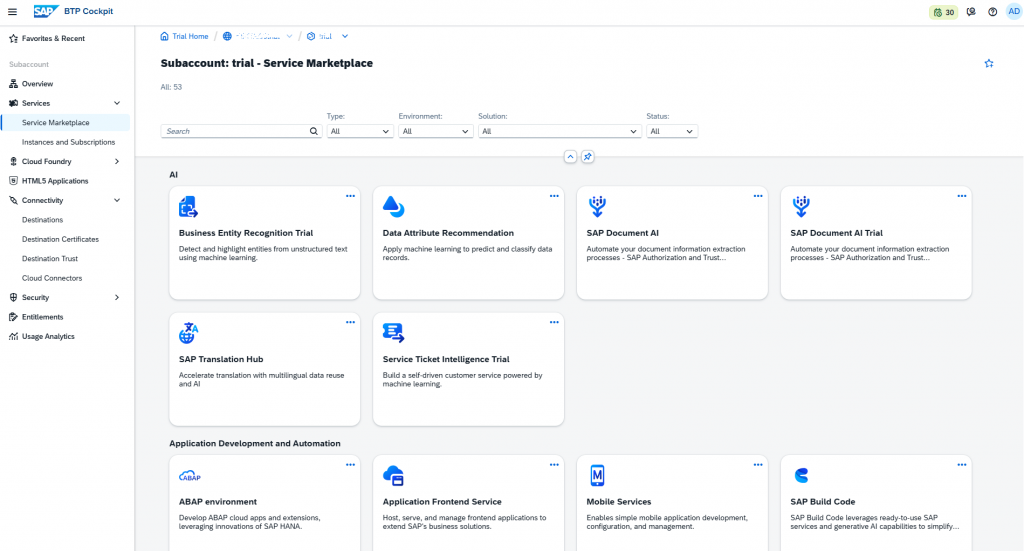
Next, I opened Services → Service Marketplace. This is where the available SAP BTP services are listed.
There are many services in the marketplace, and it is easy to get lost there on the first day. My goal was not to understand every service immediately. I only wanted to find the services that I needed for connectivity and development.
Searching for the Destination Service
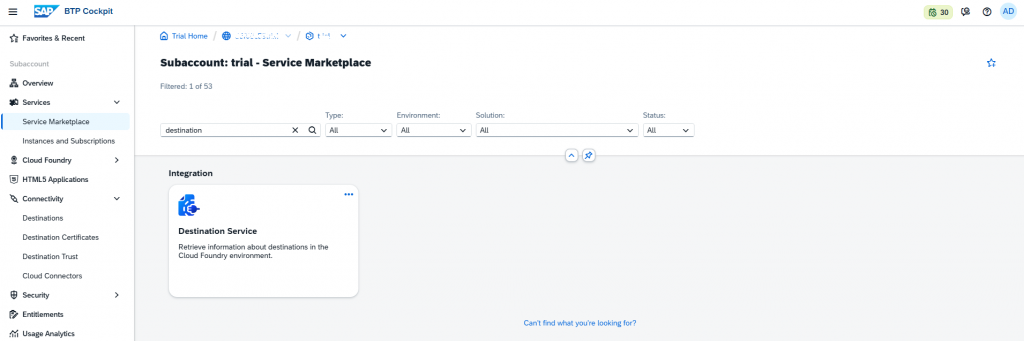
After that, I searched for the Destination service in the Service Marketplace.
I understood the Destination concept in a simple way:
A destination defines how SAP BTP connects to another system or API.
Instead of storing URLs, authentication settings, or connection details directly inside an application, these details can be maintained centrally as a destination in SAP BTP.
Opening the Destinations Area
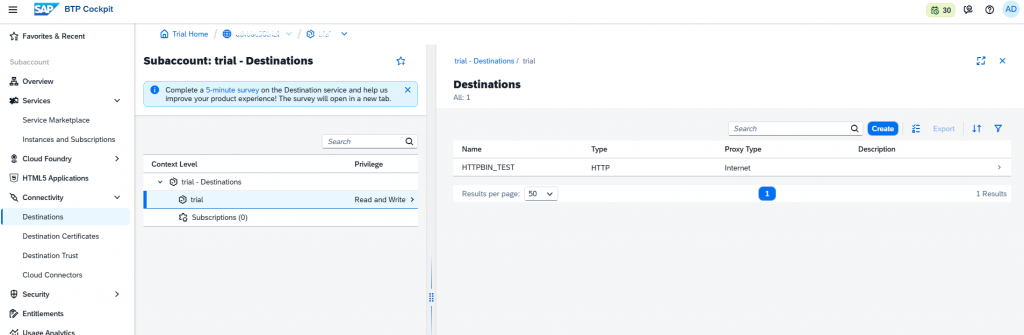
After finding the Destination service in the marketplace, I moved to Connectivity → Destinations. This is where destination definitions are created and managed.
I already had a small test destination called HTTPBIN_TEST, but for this mini project I wanted to use a more meaningful external API.
Creating a Destination for JSONPlaceholder API
For this demo, I used JSONPlaceholder instead of httpbin.org.
JSONPlaceholder is a free test REST API that returns sample data such as posts, users, and comments. It is useful for simple external API tests.
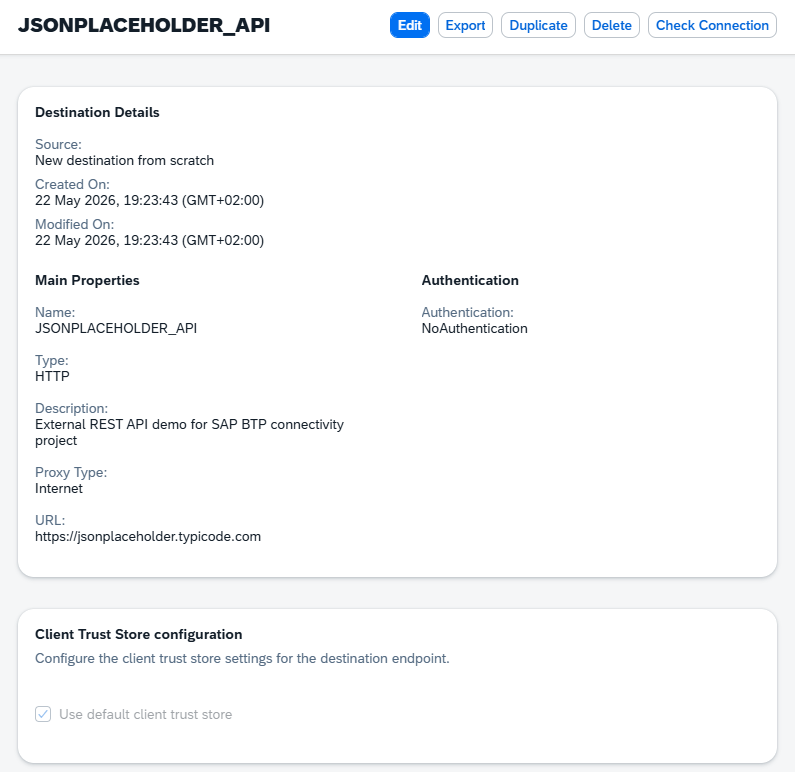
I created a new destination with the following settings:
Name: JSONPLACEHOLDER_API
Type: HTTP
URL: https://jsonplaceholder.typicode.com
Proxy Type: Internet
Authentication: NoAuthentication
I used no authentication because JSONPlaceholder is a public test API.
Testing the Destination Connection
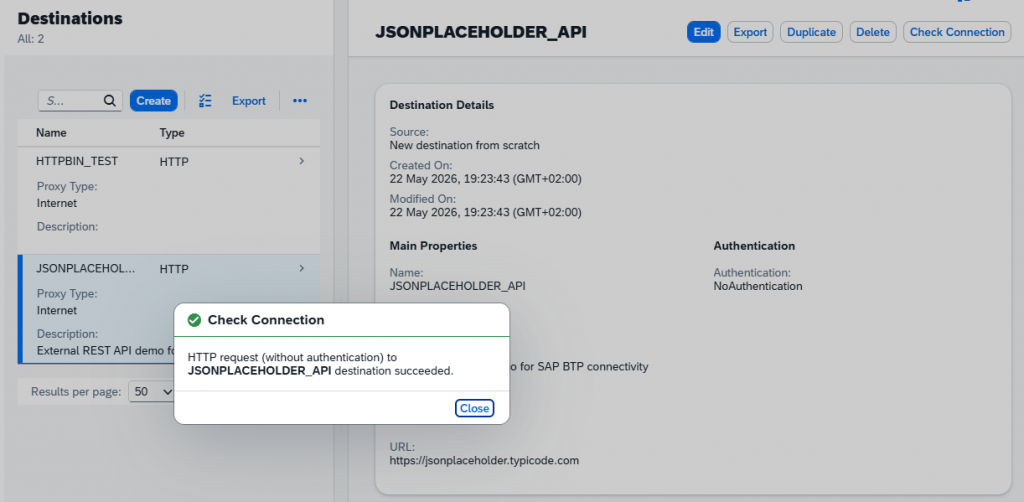
After saving the destination, I tested it with Check Connection.
The connection test was successful. This confirmed that SAP BTP could reach the external REST API.
Checking the API Response in the Browser
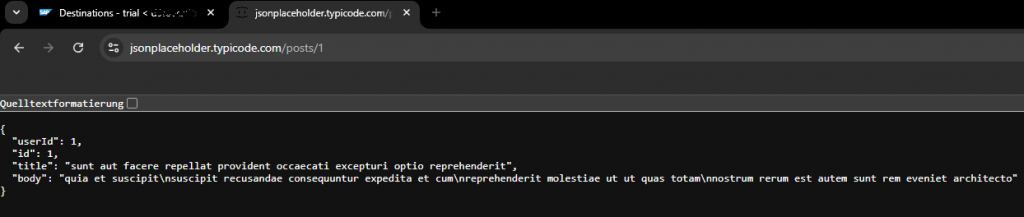
I also opened the API endpoint directly in the browser:
https://jsonplaceholder.typicode.com/posts/1The endpoint returned a JSON response with fields such as userId, id, title, and body.
At this point, I had verified that the external API was reachable and returned data. However, just opening the API in the browser was not enough for me. I wanted to do something small with the data, so I continued with SAP Business Application Studio.
Creating a Dev Space in SAP Business Application Studio
For the small web application, I used SAP Business Application Studio.
I think of Business Application Studio as a cloud-based development environment running on SAP BTP. It feels similar to VS Code. It has a file explorer, editor, terminal, and development tools.
I created a new Dev Space with the following name:
btp_api_demo
Opening the Business Application Studio Workspace
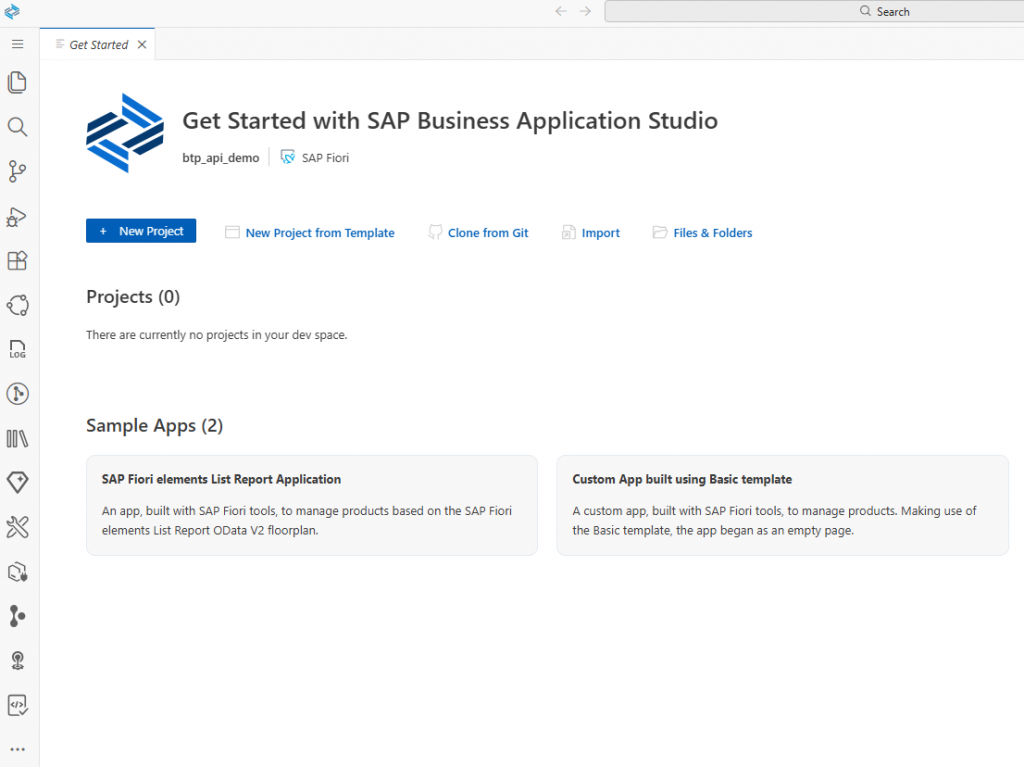
After the Dev Space was running, I opened the workspace. The environment looked like a typical development workspace, with a file explorer on the left, an editor in the middle, and a terminal at the bottom.
Creating a Simple HTML and JavaScript Application
Inside the terminal, I created a small project folder:
mkdir btp-json-api-demo
cd btp-json-api-demo
touch index.html
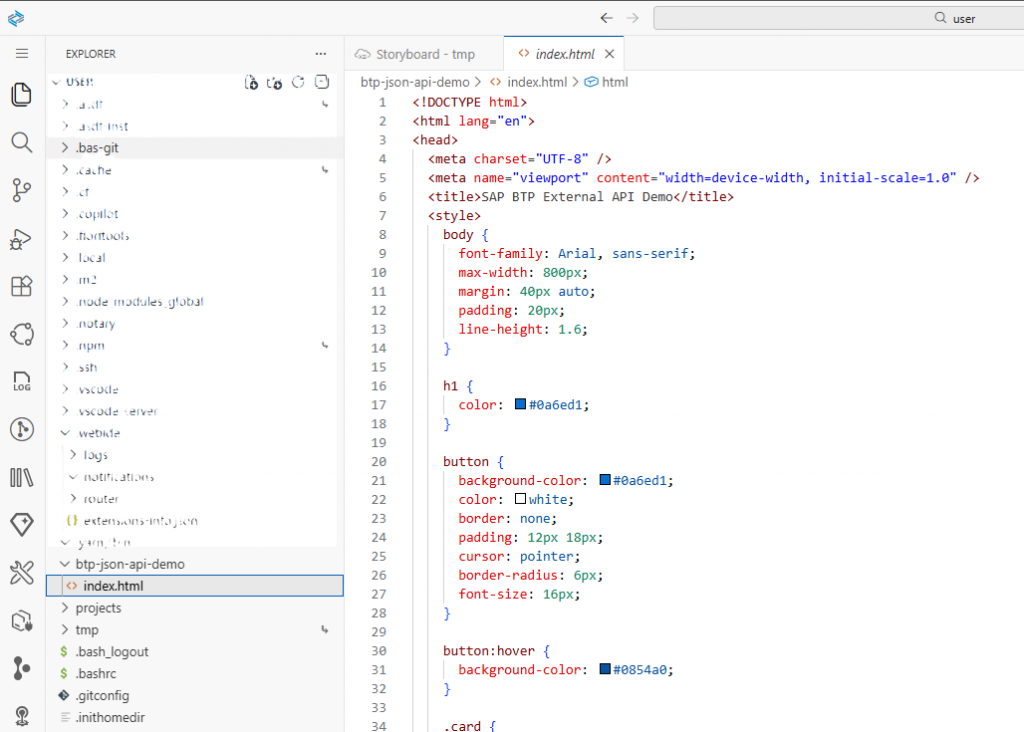
Then I added a simple HTML and JavaScript code to the index.html file.
The idea of the application was simple:
- Show a button on the page.
- When the button is clicked, call the JSONPlaceholder API.
- Display the returned JSON data on the page.
The important line in the code was:
fetch("https://jsonplaceholder.typicode.com/posts/1")This is where the web application calls the external REST API.
Running the Mini Web Application
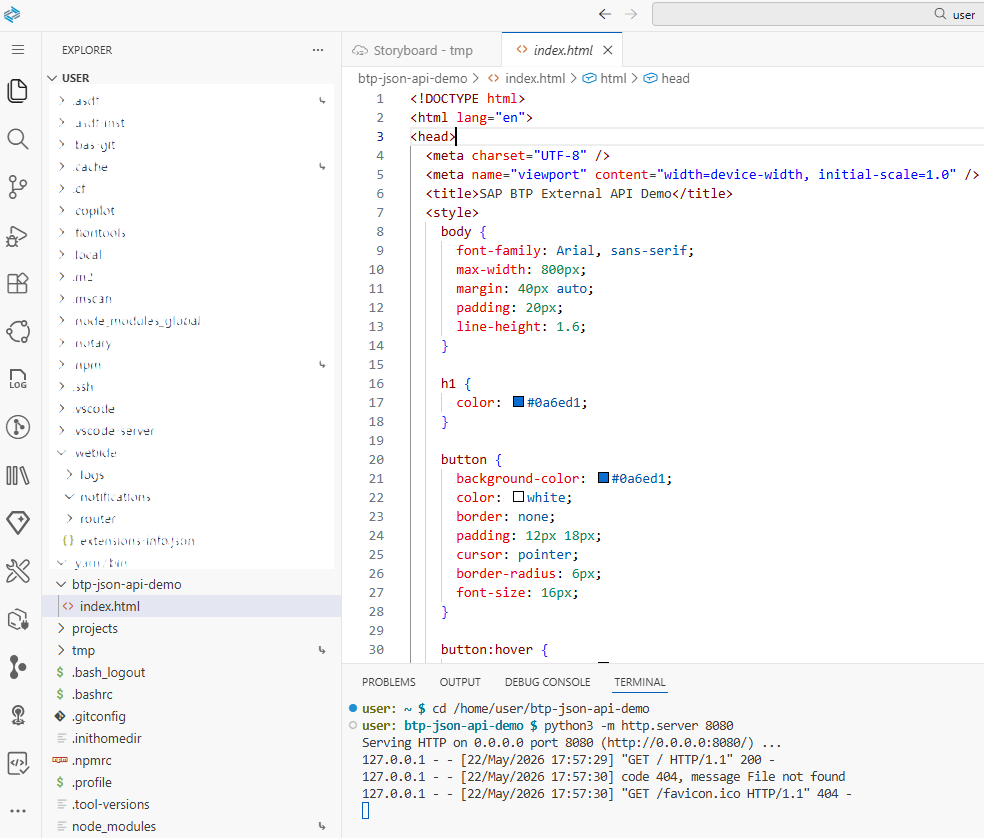
To run the application, I started a simple local web server from the Business Application Studio terminal:
python3 -m http.server 8080This served the current project folder on port 8080.
Then I opened the application in the browser using the preview option from Business Application Studio.
Displaying API Data in the Web Application
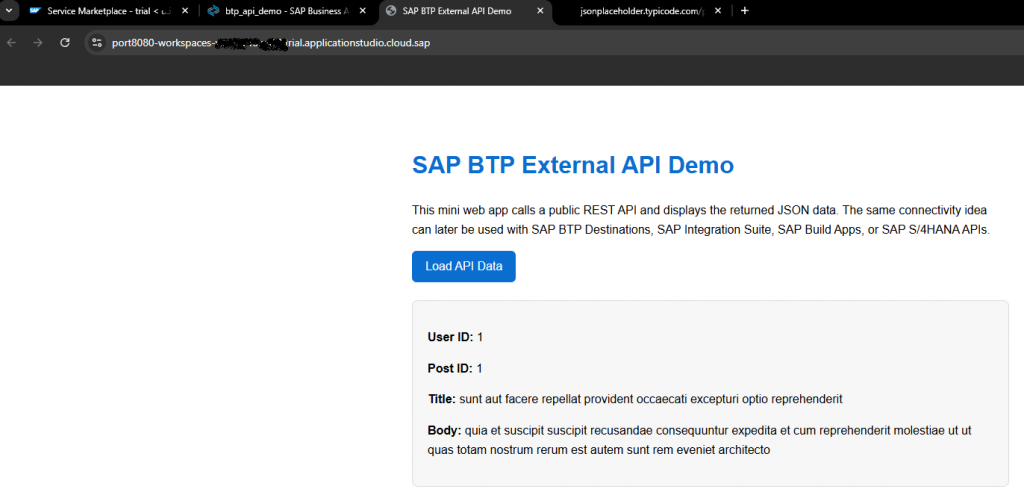
In the web application, I clicked the Load API Data button.
After clicking the button, the data from the external API was displayed on the page:
- User ID
- Post ID
- Title
- Body
What I Learned
This small exercise helped me understand a few SAP BTP concepts in practice.
I saw where the subaccount is located, how services can be found in the Service Marketplace, and how external API connections can be managed under Connectivity → Destinations.
The following destination-related concepts became clearer to me:
URL
Proxy Type
Authentication
Check Connection
I also saw that SAP Business Application Studio is not just a theoretical service. It can be used as a real cloud-based development environment where I can create files, use a terminal, and run a small web application.
The most important takeaway for me was this:
A destination in SAP BTP can be seen as a reusable connectivity layer between applications and external systems.
In this demo, I used a public test API. Later, the same idea could be applied to SAP S/4HANA APIs, backend systems, or other external services.