
Sharing notes from my ongoing learning journey — what I build, break and understand along the way.
SAP HANA Administration Notes – Part 4: Backup, Recovery, Auditing, and Security Basics

What I Learned About Backup, Recovery, Auditing, and Role Management in SAP HANA
⚠️ Note: This content was prepared in a training environment provided through SAP Learning Hub. The data used is for testing purposes only. In line with SAP rules, no full-screen screenshots were shared. Only partial screenshots were used to show the relevant menu, warning, and context.
Tonight’s SAP HANA practice session was less about simply “clicking through the steps” and more about trying to truly understand what I was doing on the administration side of the system. In the previous parts, the focus was more on installation and basic configuration. This time, the work shifted more toward operational thinking: taking backups, going back to a previous state, understanding recovery logic, getting familiar with audit records, backing up encryption keys, and organizing the role-user side of things.
For me, the most important realization from this session was this: I started to see SAP HANA not just as “a database that runs,” but as a system that needs to be managed, protected, and brought back when necessary.
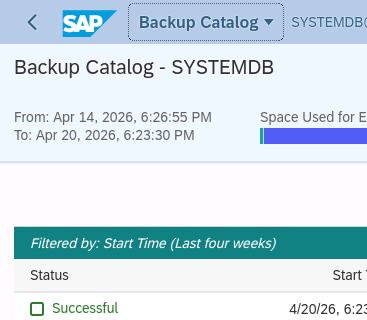
The first thing that caught my attention was the backup side. In theory, the sentence “I took a backup” sounds very simple, but in practice there is a catalog logic behind it, a scheduling aspect, and a discipline aspect. Looking at the backup catalog screen, I liked seeing that the system treats this not as a one-time action, but as a living record mechanism. Seeing a successful complete backup may sound like a small detail, but it is actually the first step toward operational confidence. Without a point you can return to, no change ever feels fully comfortable.

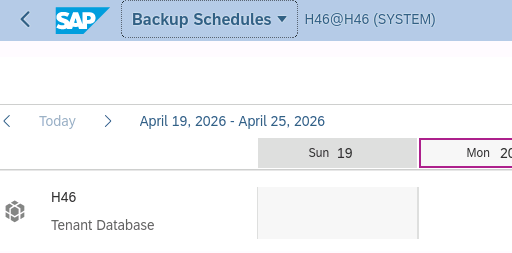
After that came the backup schedule section. The important lesson for me here was that backup is not a one-time reflex, but a planned routine. Taking a manual backup is one thing, but thinking about the system in a way that allows it to handle this automatically at certain intervals is something else entirely. The calendar view made this much clearer for me. On the SAP HANA side, a large part of operational work seems to be less about “knowing a setting” and more about “building a routine.”
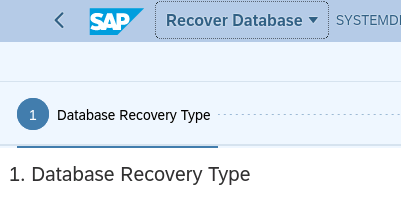
The most instructive part of the evening, however, was recovery. Until now, I had always thought of recovery as a somewhat abstract safety net. In this session, I felt it in a much more concrete way for the first time. Choosing the recovery type, deciding which point to return to, and understanding which backup chain will be used all look a little mechanical at first glance. But at the same time, it forces you to face a simple truth: recovery is not a magical button; it depends on having taken the right backup beforehand, the system being able to interpret that backup, and you knowing exactly what you are returning to.
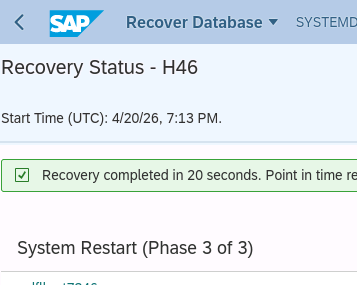
Seeing the recovery progress and then the successful completion screen was genuinely satisfying for me. That was the moment when I first felt: “Okay, this is not just a concept written in a training guide, this is a real operation that actually works.” There is a serious difference between hearing the word recovery in theory and watching it work step by step.
Another topic I enjoyed that evening was the encryption side. Data encryption, and especially root key backup, reminded me once again how much SAP HANA administration requires a kind of operational seriousness. Normally, encryption is often discussed at a very superficial level like “is it enabled or not?” But backing up the key itself is the more real part of the story. If encryption is enabled but key management is weak, then half of the work is still missing.
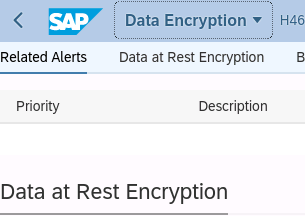
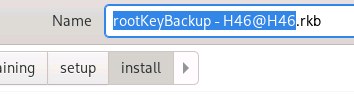
Auditing, on the other hand, was one of the topics I understood the least at the beginning, but by the end it became one of the clearest in my mind. At first, it is very easy to confuse audit with trace. Both seem to be about recording things. But over time, the distinction became much clearer: trace is more about technical troubleshooting and what the system is doing in the background, while auditing is more about recording the answer to the question, “who did what?”
In my own mind, I settled auditing like this:
It is the system’s memory for accountability. In other words, when a certain user accesses a certain object, or when a certain action takes place, the system stores that not merely as a technical log, but as an audit record. This is especially important from a security, compliance, and traceability perspective. In this part, I did not see auditing as just “another menu,” but began to feel why it is indispensable in corporate environments.
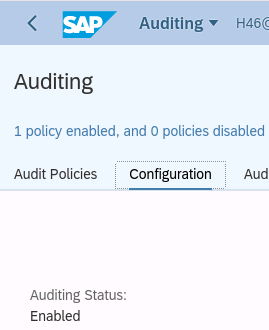
To be honest, while the auditing side was technically interesting, it felt a bit rough from a user experience point of view. At first, it was not very intuitive to understand how some settings were related to one another, why certain options were not active, and how to define the correct target. But that was exactly why it was educational. Because in real life, system administration is often not about “beautifully designed screens,” but about understanding how concepts connect to each other.
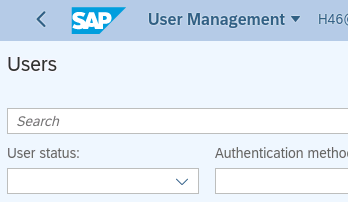
Role and user management was also an important part of the evening. There too, I saw one of the most basic distinctions much more clearly: creating a user is one thing, designing a role is another, and assigning a role to a user is something else again. At first, all of these look like they belong to the same administration area. But after working through them a little, it becomes much easier to understand how authorization is structured in layers. The fact that a higher-level role can contain other roles, and then be assigned to a user, made a lot of sense to me in terms of order and reusability in system administration.
The overall impression I was left with tonight was this: SAP HANA administration teaches an operational way of thinking more than it teaches isolated technical features. Knowing how to take a backup is not enough on its own; planning it, recovering when necessary, protecting encryption keys, keeping audit records, and assigning permissions in a structured way are all parts of a larger whole. In the end, all of them serve the same question: how do I manage this system in a secure, traceable, and sustainable way?
There is also a psychological side to it. Running a recovery for real, seeing a successful backup, seeing an audit policy become active, or assigning child roles under a larger role may all look like small steps. But those small steps are what build the mindset of a system administrator. Because each step moves you away from being “the person who installs a system” and closer to being “the person who manages a system while it is alive.”
If you ask me what the difficult part of the evening was, my answer would be this:
In some screens, understanding what I was doing was harder than technically performing the action itself. Especially in the auditing and role management sections, the menus sometimes felt too abstract. But the easier side of it was this: once the logic starts to click, the screens begin to make much more sense. Things do not suddenly become easy right away, but at least you begin to know what you are looking at.
My favorite part of the evening was recovery. The most thought-provoking part was auditing. And the part that felt the most like “real corporate life” was backup scheduling and key backup.
Finally, I can say this: tonight’s practice strengthened my feeling that SAP HANA administration is not just about technical commands. It is also about confidence, discipline, rollback planning, and leaving a trace. And for me, that was the real value of the evening.
In the previous parts of this series, the focus was more on installation and configuration. In this part, I felt that I moved one step closer to the day-to-day management of the system. Seeing how these pieces come together in real scenarios will be even more interesting in the next stage.